
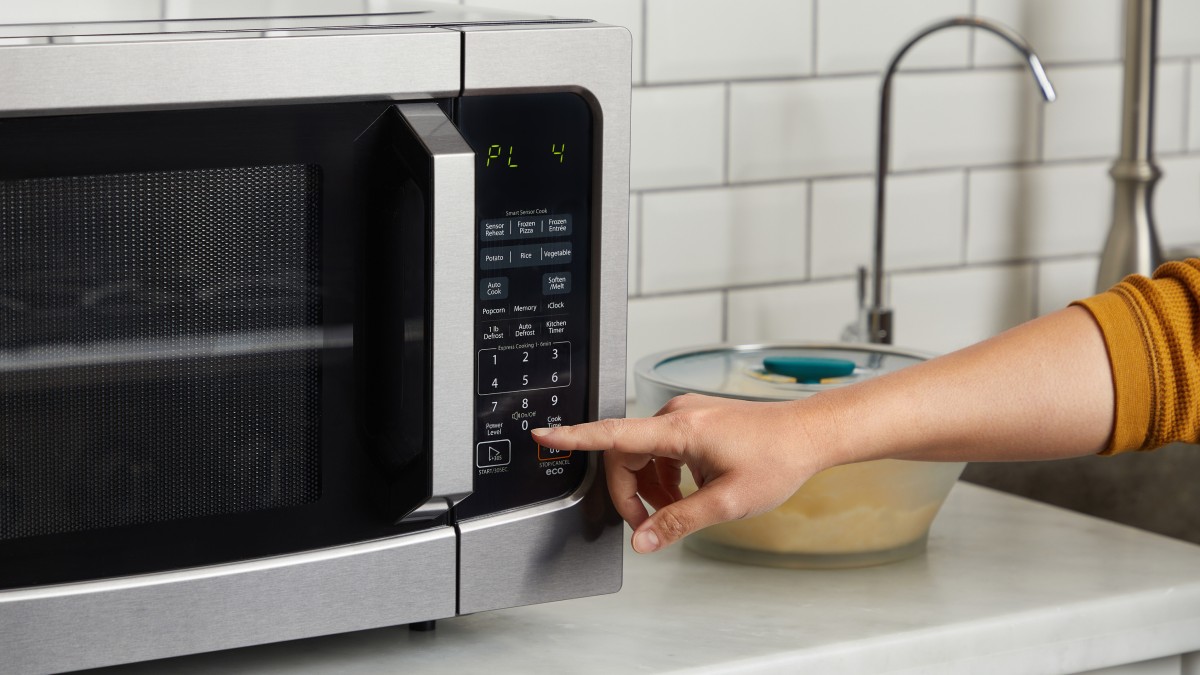
You’ve just lifted the lid off a bowl of leftovers, taken a hopeful forkful, and hit a pocket of cold soup in the middle of what looked like a perfectly heated meal. Sound familiar? The culprit almost certainly isn’t a broken appliance. Repairmen hear this complaint every week, and the answer they keep giving is the same: most of us are running our microwaves on full power for absolutely everything, when the power level button, that modest, often-ignored key on the control panel, is the single biggest difference between food that heats through properly and food that scalds on the outside while staying fridge-cold in the middle.
Key takeaways
- That mysterious cold pocket in the middle of your reheated food has a surprisingly simple explanation
- There’s a button on your microwave control panel that could change everything—and most people never touch it
- Professional repair technicians say one overlooked setting makes the difference between ruined meals and restaurant-quality results
Why Your Microwave Has a Power Level Button (and Why You’re Ignoring It)
There’s a magic button most of us completely overlook: the power level button. Think of adjusting your power level similarly to adjusting the heat on your stove. You wouldn’t cook everything under the grill or on the highest ring. The same logic applies to the microwave. Yet most households press the same two or three number keys every time, never venturing near anything else.
All microwaves default to cook at full power. That sounds convenient, but it’s the root of the problem. The power level function actually turns the microwaves off for short periods of time to allow the food to cook at a slower rate. This “off” period allows the residual heat generated in your food from the full-power cooking to continue cooking without the more intense direct microwave heat. So when you set your microwave to 50%, there are waves bouncing around inside only 50% of the time, allowing the food to cook more gently.
That’s a rather elegant piece of engineering, when you think about it. The microwave isn’t actually producing less energy every second, it’s pulsing on and off, giving heat time to travel inward from the outer layers of your food. Heating food on full power causes the outer layers to heat up and possibly overcook before the heat penetrates to the inner layers. For more even heating, using a lower power level and increasing the cooking time allows heat to transfer from the outer layers to the centre of the food.
The Right Power Level for the Right Job
Standard settings often lead to uneven heating and overcooked edges while leaving the centre cold. By selecting the appropriate power level, you can ensure that food cooks through evenly without burning or drying out. Most microwaves offer between five and ten power settings, and each one genuinely serves a different purpose.
For reheating leftovers, you should select the medium-high (or 70%) power level for a more even temperature. Cooking starchy foods like rice and pasta requires an 80% power level. For denser dishes that tend to be cold in the middle, think a bowl of chilli or a thick pasta bake, use medium power for reheating. This helps ensure even heating without drying out your food. Start with two to three minutes, checking frequently.
Defrosting is where people go most badly wrong. For defrosting, always use the lowest power setting. This prevents the edges of the food from cooking while the centre remains frozen. Defrosting often requires multiple cycles with pauses to allow the temperature to equalise. Rushing a piece of chicken through on full power doesn’t save time in any meaningful way, it just gives you rubbery, part-cooked edges wrapped around a still-frozen core.
Eggs and dairy deserve special mention. Dairy should be heated gently if cooking for a longer period to avoid separating or burning. Cheesecake, for instance, is cooked at a low power level to maintain its shiny, silky texture and avoid scorching the cheese and cream. The same principle applies to reheating a creamy sauce or a rice pudding, give it a lower setting and a little more time, and the result is genuinely better.
The Turntable: The Other Forgotten Hero
Power level is the biggest and most overlooked setting, but there’s a second culprit that repairmen often spot: a turntable that has quietly stopped doing its job. At the heart of a microwave’s functionality is its turntable, ensuring even heating and cooking by rotating the food throughout the cycle. When the turntable encounters issues, it can lead to unevenly cooked meals and frustration.
Dust, food particles, and other debris can accumulate around the turntable’s motor or on the roller guide, impeding smooth rotation. Gently wiping these components with a soft, damp cloth can remove obstructions. It takes thirty seconds and costs nothing. Check the little plastic wheels underneath the glass plate too, one of the most common causes of a stopped turntable is the plate or roller ring not being positioned correctly inside the microwave, and it is also one of the easiest issues to fix.
Something else worth knowing: on some microwave models, you can turn the turntable on and off. This feature allows you to heat large or rectangular dishes that may bump against the microwave walls if the turntable moves. You can find out if your microwave has this feature by reading the owner’s manual, it typically involves pressing a button labelled “Turntable,” “Tray,” or “Rotation” on the control panel. If someone accidentally disabled the rotation at some point, that’s your mystery solved.
A Few Habits Worth Forming
Beyond the power level button and the turntable, there are a handful of simple habits that make a real difference. For unevenly sized pieces of food, arrange your dish to keep the thickest pieces outward towards the walls of the appliance. Foods that are cut into even shapes and sizes should be arranged in a ring or square around your dish, leaving the centre empty. That empty middle isn’t wasted space, it’s actually compensating for the fact that microwave energy concentrates more at the edges.
The waveguide cover directs microwave energy into the oven cavity. If it’s greasy, burnt, or cracked, the waves may be misdirected, leading to uneven heating. Damage to this part can also pose a fire risk, so inspection and cleaning are important. This is the small rectangular panel on the interior wall of your microwave, many people have never noticed it, let alone wiped it down. A damp cloth and a moment’s attention can make a noticeable difference to how consistently your microwave performs.
Allowing food to stand for a few minutes after cooking lets the heat distribute evenly, resulting in more thoroughly cooked food. This resting period is something we do without thinking for roast meat from the oven, yet we never apply the same logic to microwave meals. Two minutes of patience after the ping can mean the difference between a cold patch in the middle and a properly warmed-through dinner.
The power level button has probably been sitting there since the day you unpacked your microwave, waiting to be pressed. It’s worth wondering how many unsatisfying meals, rubbery leftovers, and frustrating lukewarm lunches might have been avoided, just by learning what that little button actually does.
Sources : microwaveinsider.com | microwaveinsider.com